Free printable · Grades 6 to 12
Free Cornell notes template
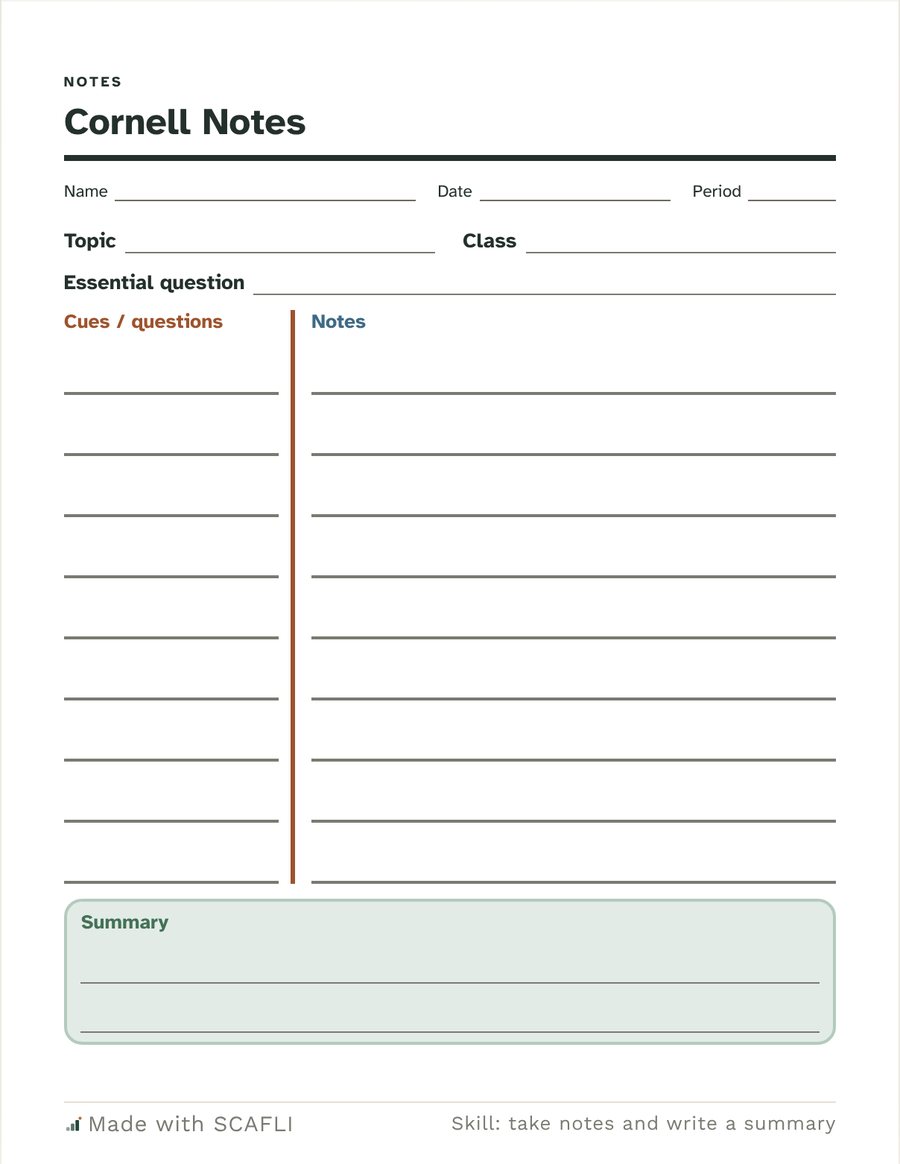
Cornell notes split the page into a narrow cues column, a wide notes column and a summary at the bottom. Students take notes on the right, write questions or key words on the left afterward, and sum up the lesson in a few sentences. This free template has lines for the topic, class and essential question.
Make your own in seconds
Ask for Cornell notes with the topic and questions filled in, with sentence starters for students who need them, or for a different grade.
Try asking for:
- “Cornell notes for 8th grade”
- “Cornell notes template for high school”
SCAFLI is in early access. The free PDF above needs no sign-up.
What it is
A note-taking page in the Cornell layout, with a place for the essential question so notes stay tied to the lesson's purpose.
How to use it
- During the lesson, write notes in the right column.
- After the lesson, write questions or key words in the cues column.
- End with two or three sentences in the summary box.
Three quick tips
- Cover the notes and quiz yourself with the cues column.
- Short phrases are enough; full sentences are not needed.
- Write the summary the same day, while the lesson is fresh.
Questions
- What goes in the cues column?
- Questions, key words or prompts written after class, so the notes can be studied by covering the right side.
- Can it come with the topic filled in?
- Yes. Tell SCAFLI the topic and essential question and it prints them on the page.
- Is there more support for some students?
- Yes. Ask for guided notes or sentence starters and SCAFLI adds them.
A starting point for your own professional judgment. Use initials only on any page about a student.